
Search
This section provides information about how to perform searches.
Basic Search
The user can input a search term in the search field and select the checkboxes to choose the specific fields they want to search.


Advance Search
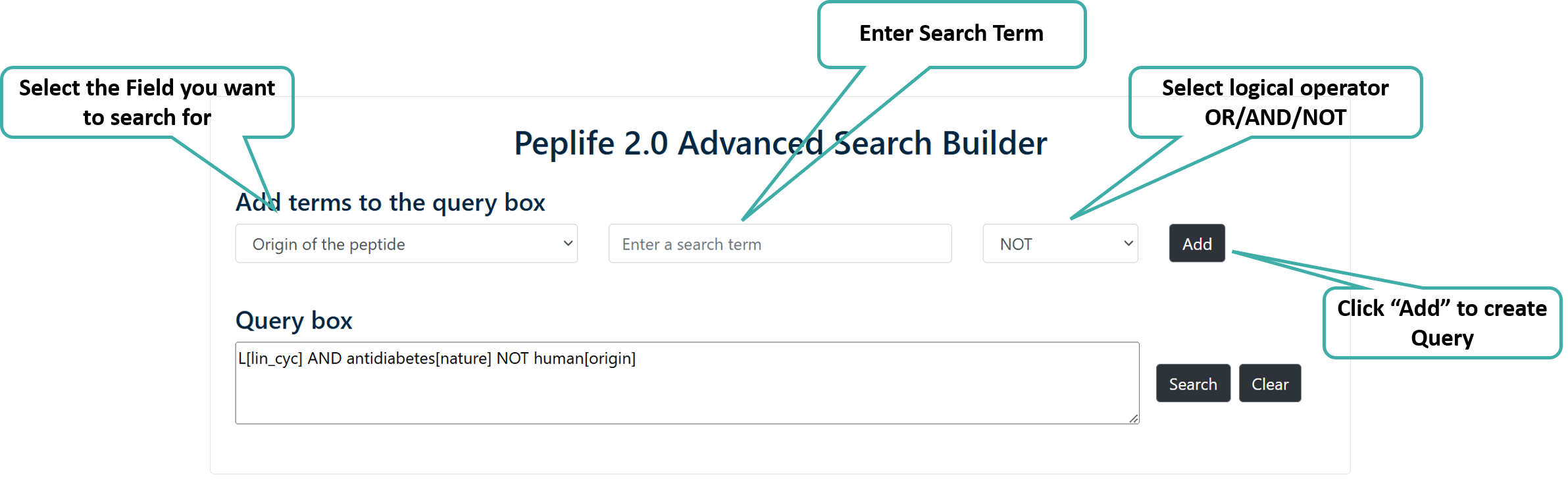
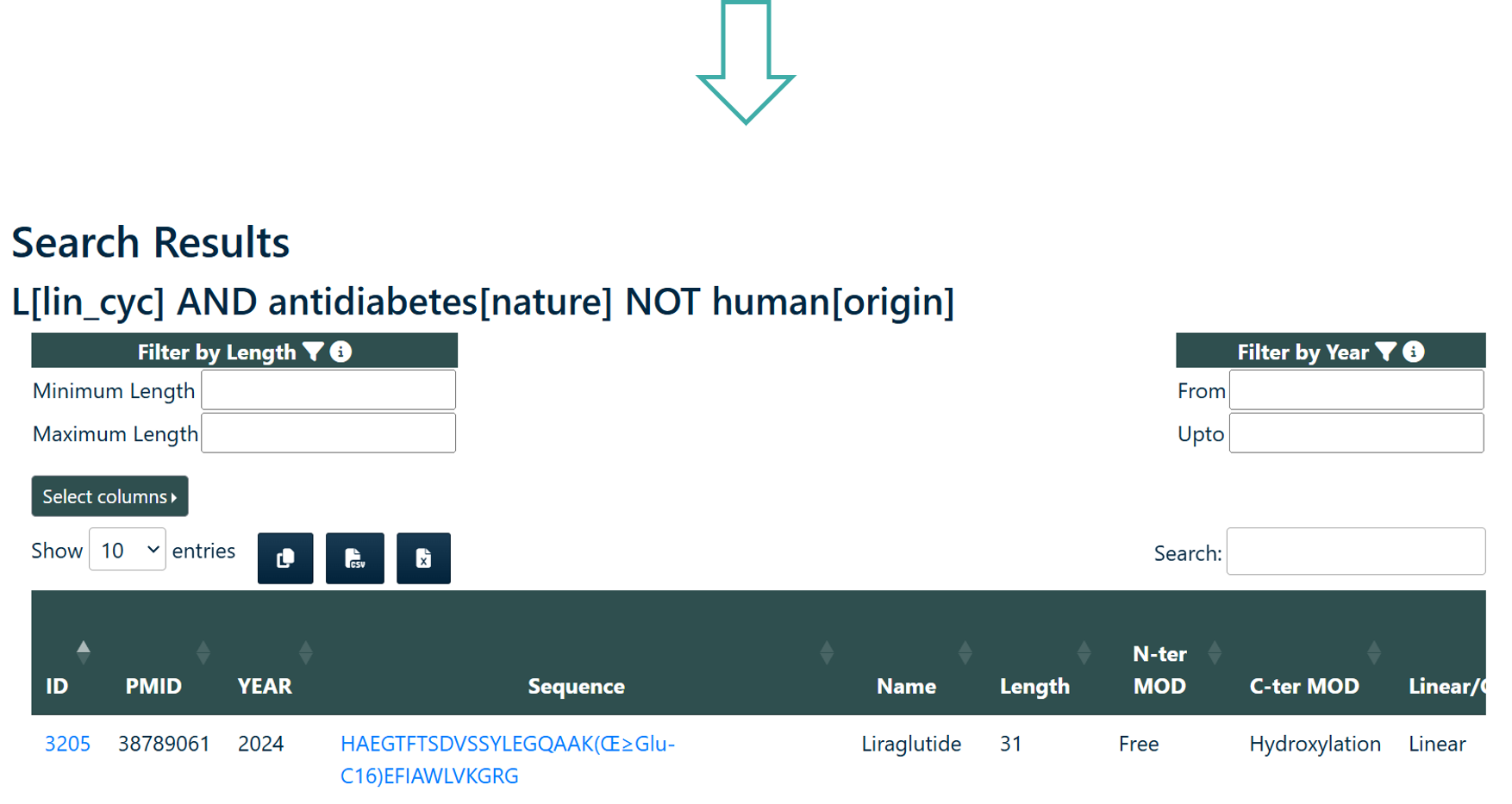
Users can perform searches across any or all fields of the PEPlife2 database using logical operators like AND/OR. Users can build the query by using the "Add" button.
Peptide Search
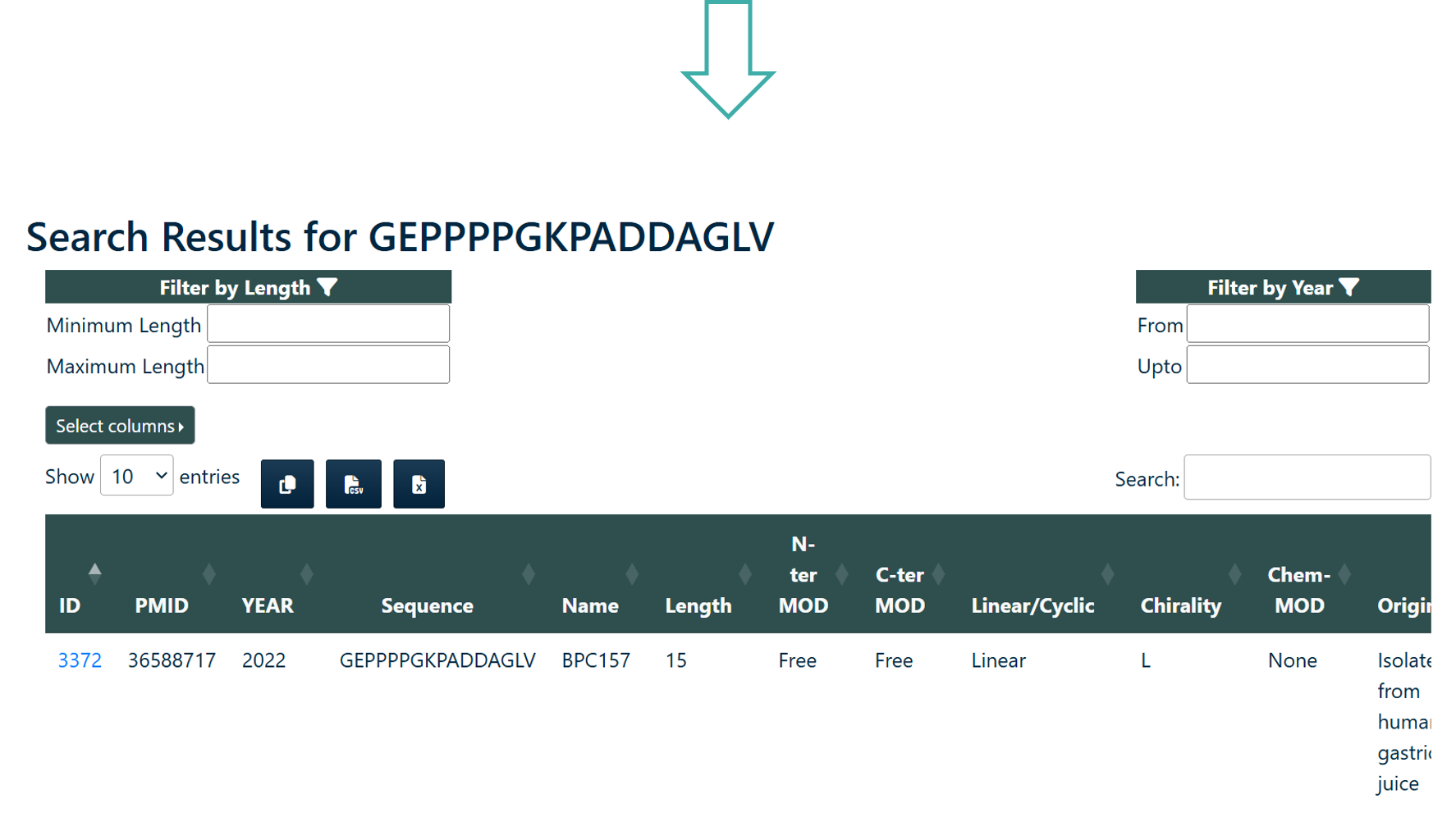
User can search the query sequence against whole PEPlife2 database. Search result will provide user either with exactly identical peptide or matching peptides with the given query sequence. The module provides two search options:
- Identical Sequence Search: This option will search for identical peptide sequence in the database.
- Subsequence Search: This option will will search for peptides that contains a part of the query peptide.

SMILES Search
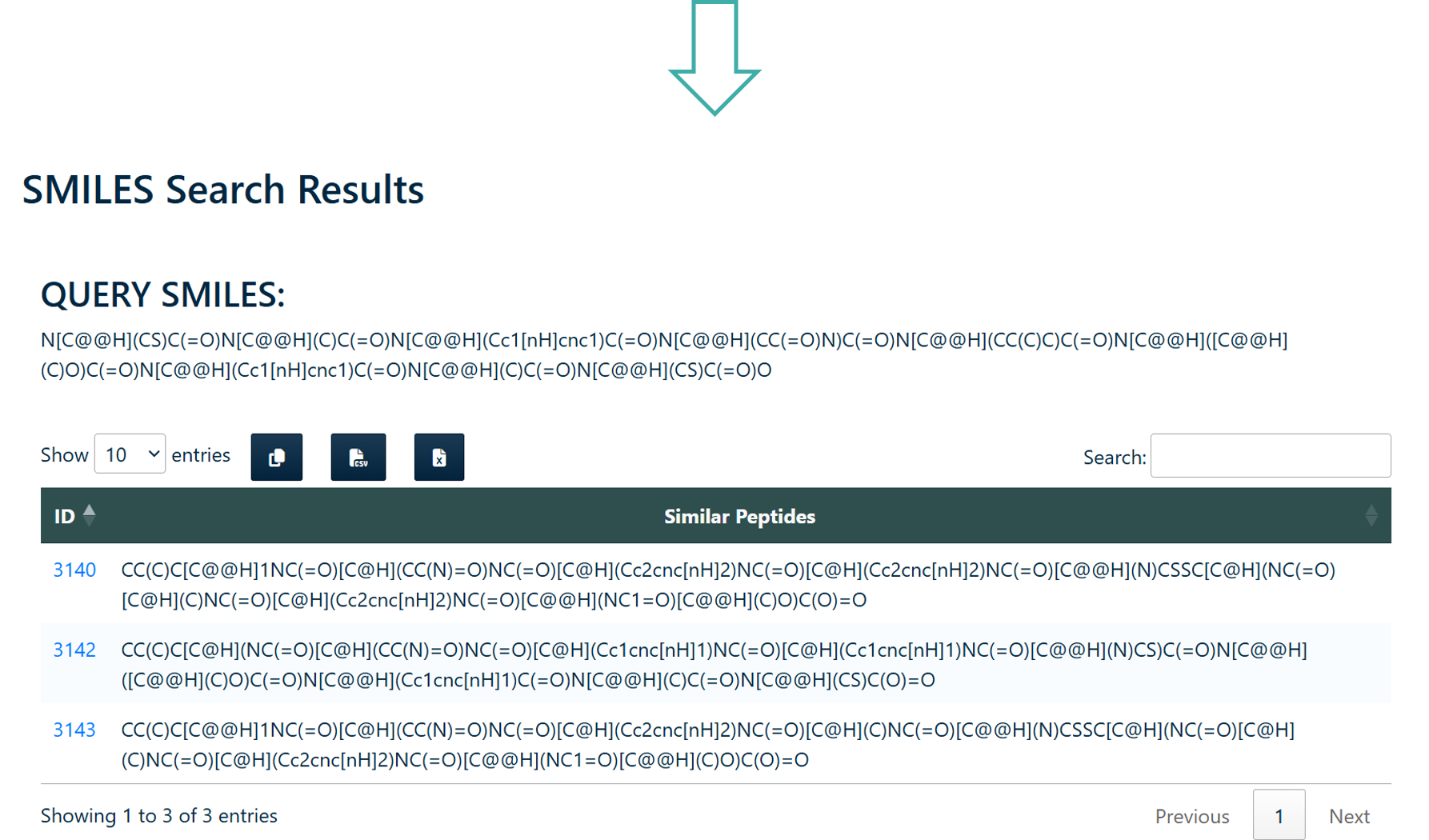
Users can search peptides using SMILES notation in the PEPlife 2.0 Database. The module provides four search options:
- Substructure Search
- Exact Search
- Exact Fragment Search
- Superstructure Search

Browse
This section provides information about browsing the PEPlife 2.0 entries by different ways.
Browse by Half-life (converted into seconds)
Users can browse peptide entries from PEPlife2 database using Half-life in seconds.
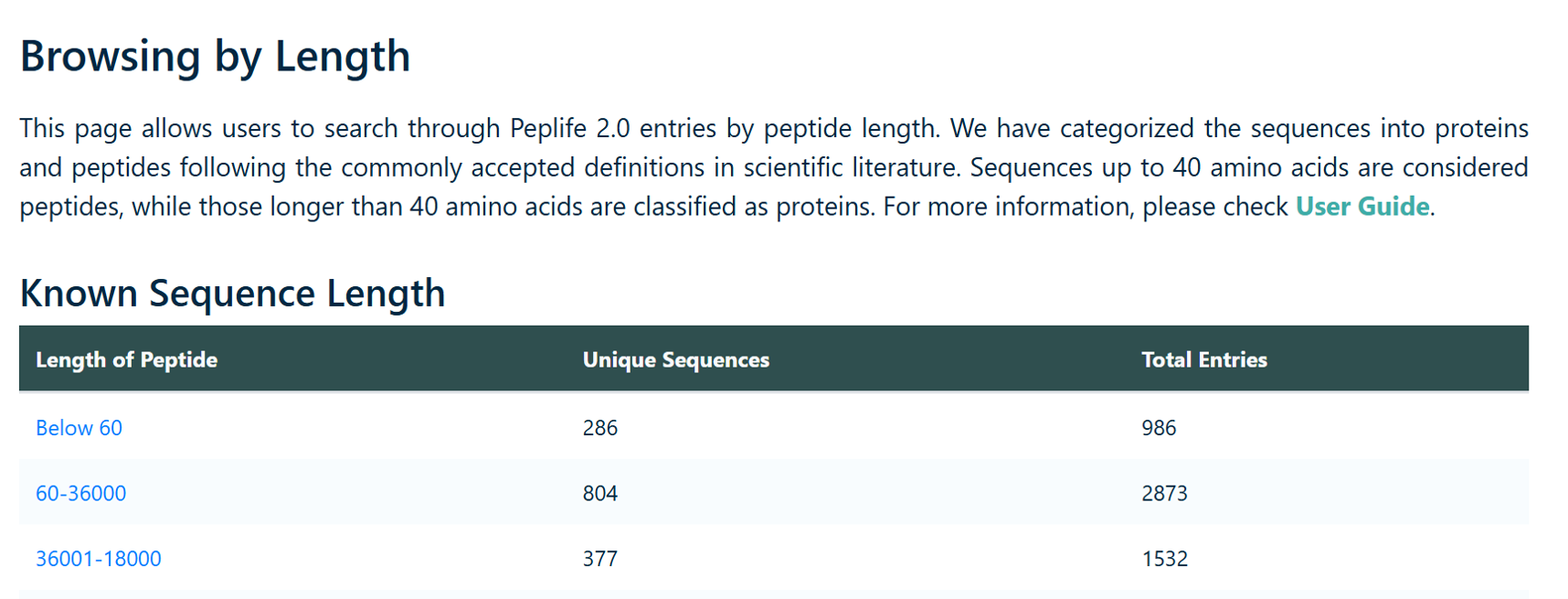
Browse by Organism / Media
This module allows user to perform search on the basis of organism type. Enter the search term, and choose the field(s) in which you want to search. Each field is provided with an example button.
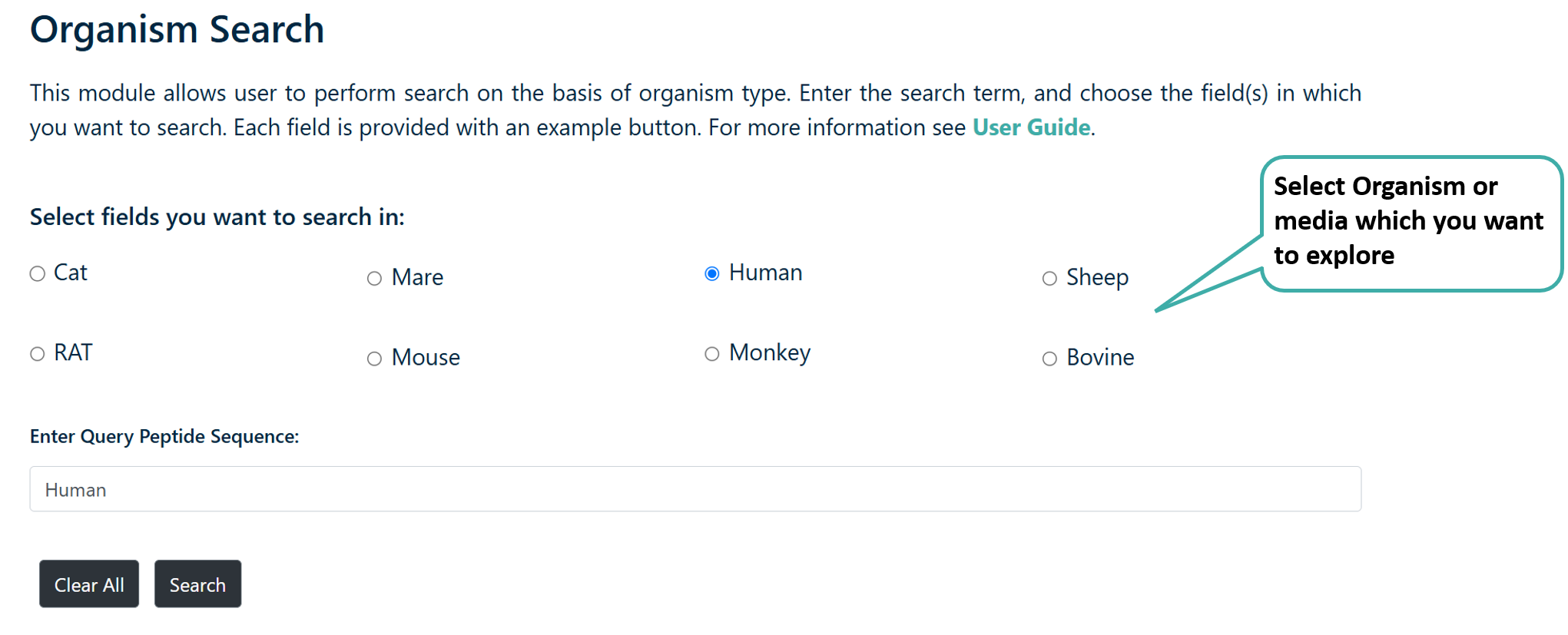
Browse by Year
Users can browse peptides by the year of publication present in PEPlife 2.O database
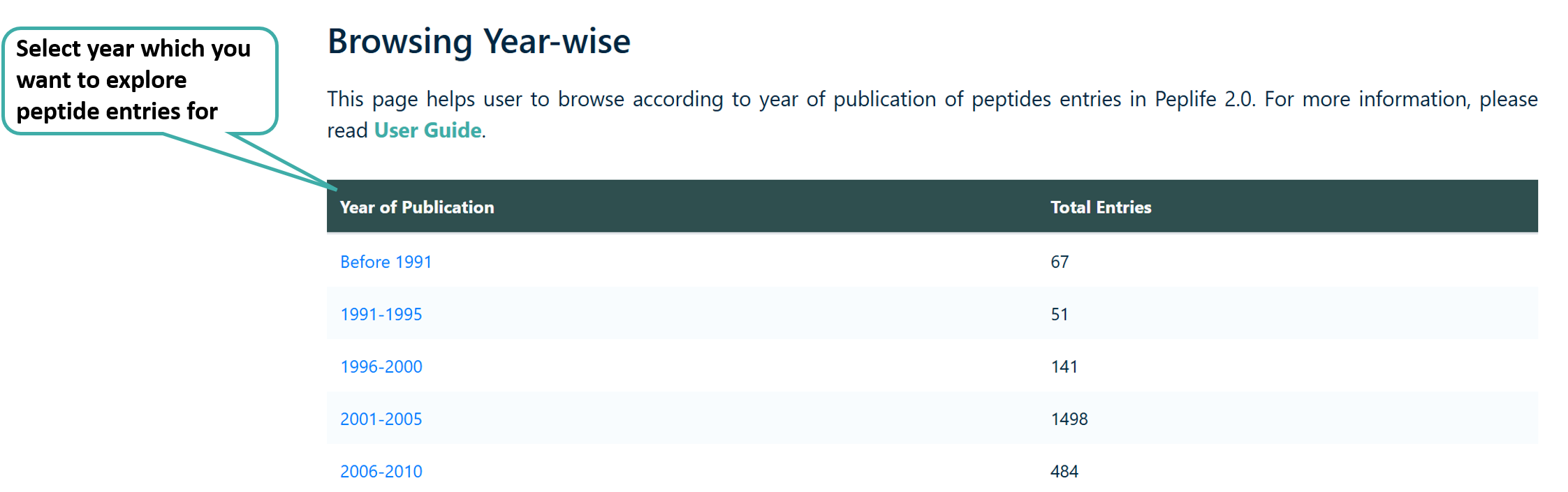
Browse by Assay
Users can browse the assays used to evaluate peptide half-life present in PEPlife 2.O database.
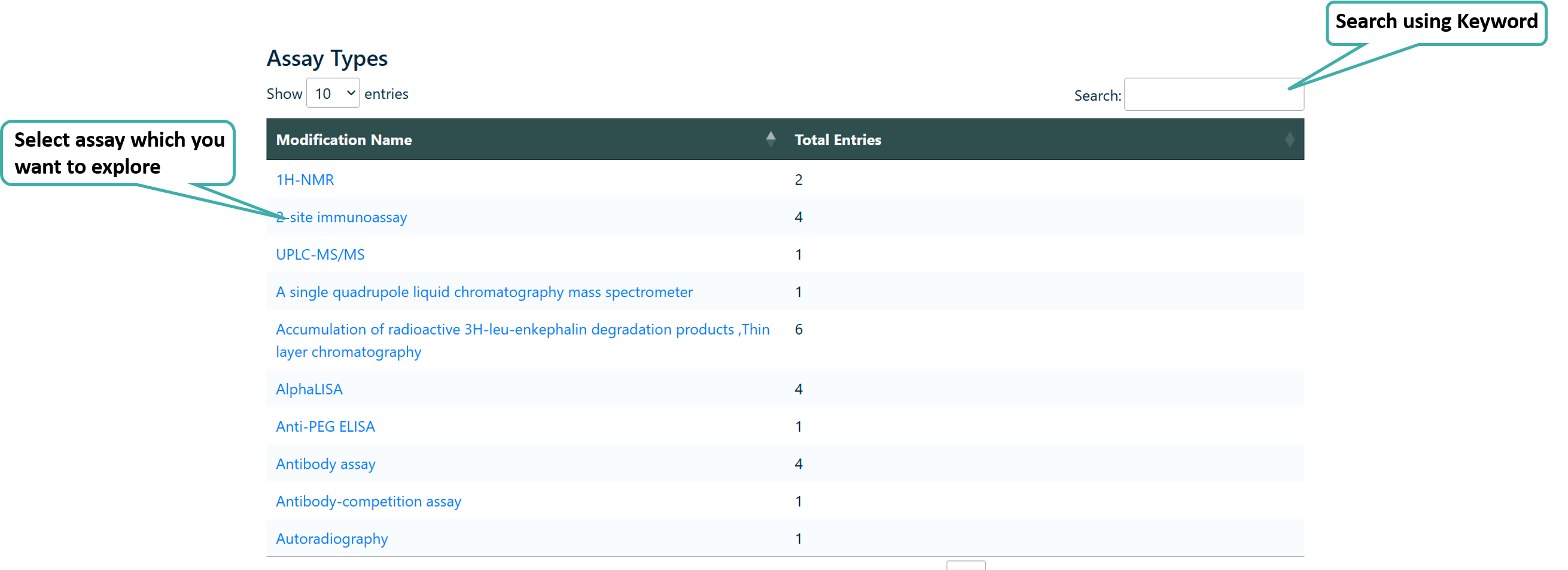
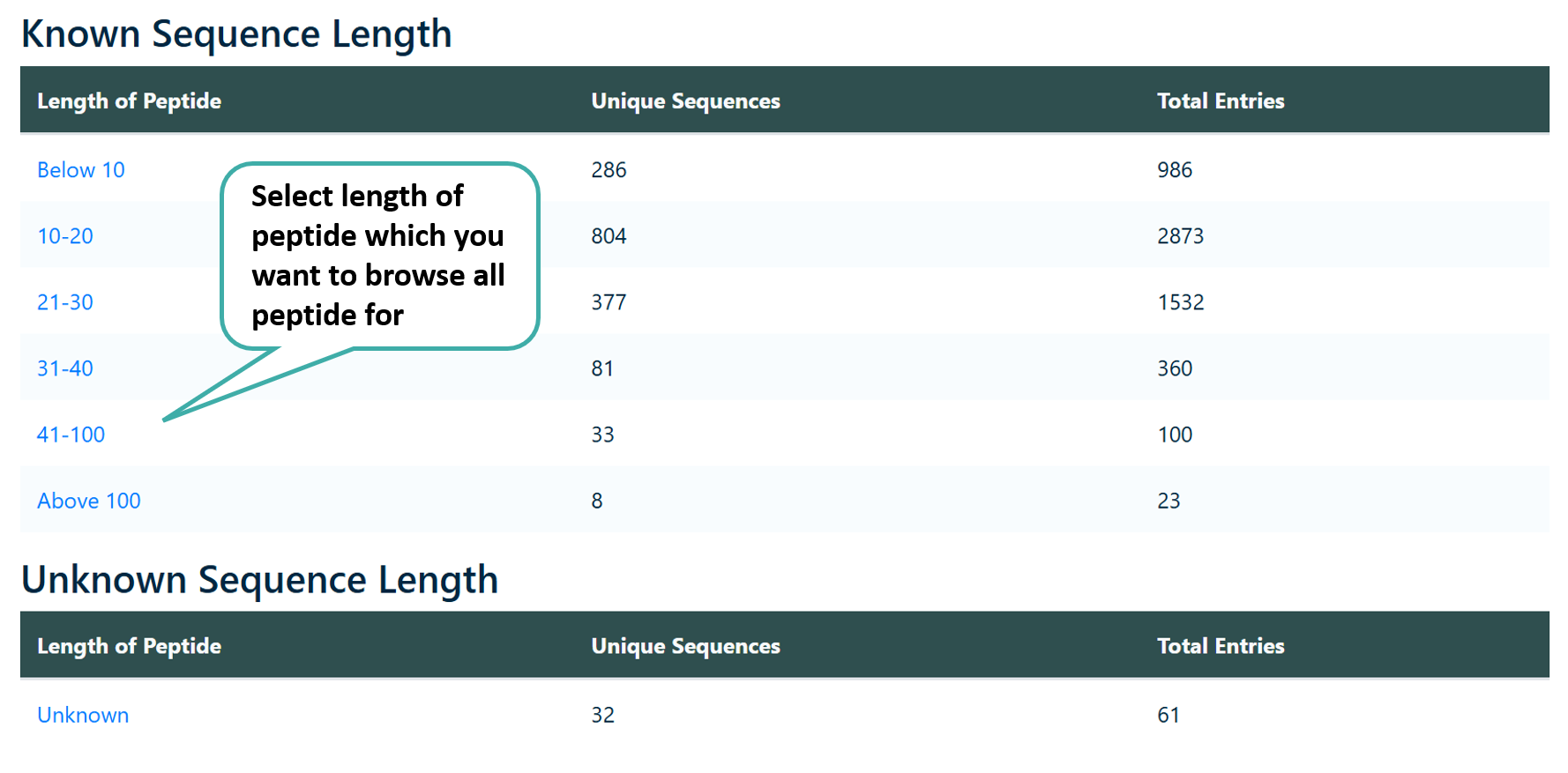
Browse by Length
Users can browse peptides based on their length. Sequences up to 40 amino acids are classified as peptides, while those exceeding 40 amino acids are classified as proteins.
Browse by Chemical Modifications
Users can browse various C-terminal modifications, N-terminal modifications as well as the chemical modifications present in PEPlife 2.0.

Peptide Card
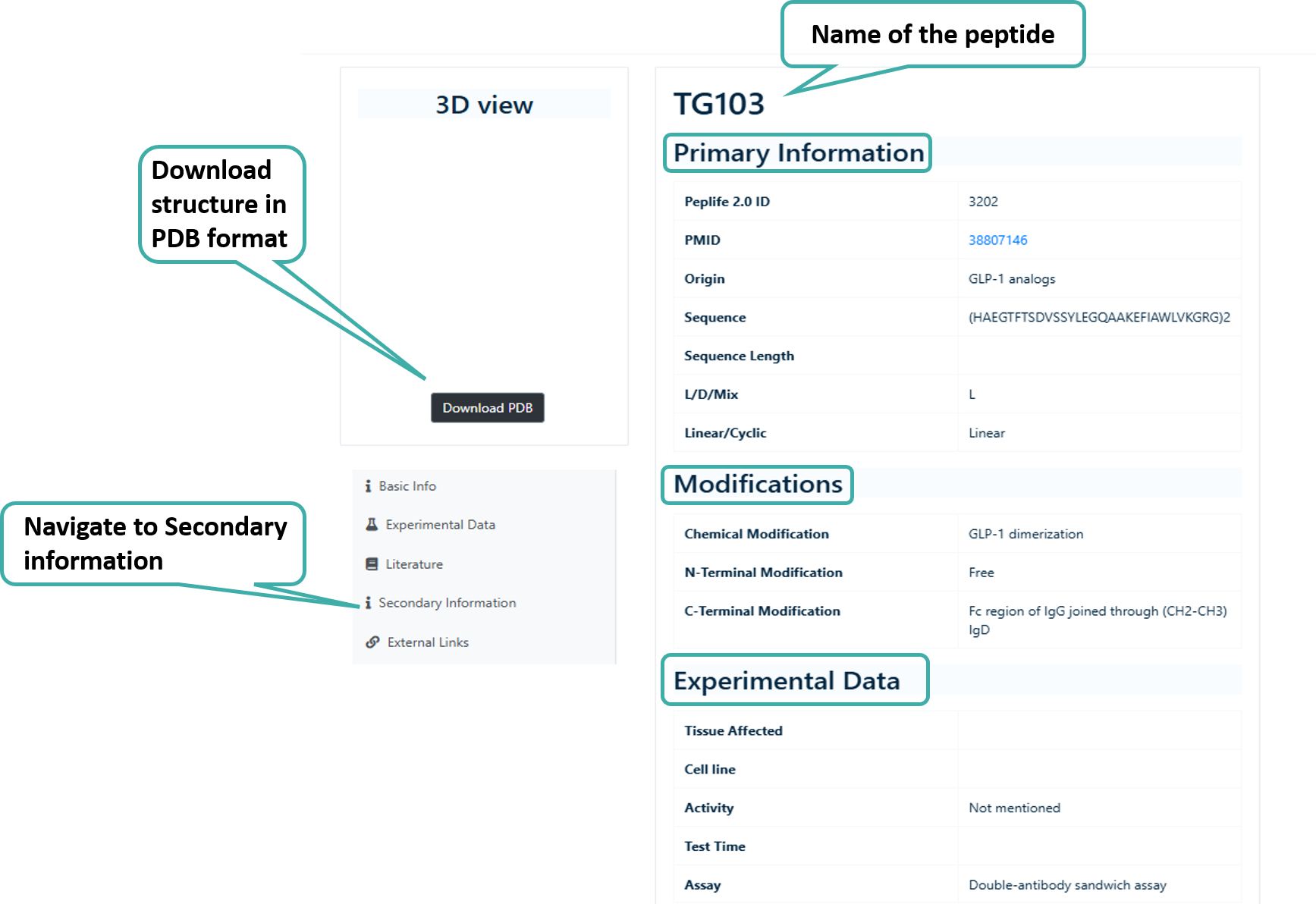
The peptide card contains all the information about a given peptide or protein. The peptide card contains the Basic Information such as length, chirality,origin, Sequence, etc., Information about Modifications such as Chemical Modifications, C-Ter Modifications, N-Ter Modifications, Experimental Data such as Activity, Assay, etc., Literature Information such as Title of the paper, DOI, Journal, Abstract etc., Secondary Infromation (DSSP and SMILES).
The peptide and protein structures present in PEPlife 2.0 includes both structures from PDB (experimental) and Predicted Structures. The structures also contains some associated data.
- DSSP States
- SMILES
Peptide Card of a Entry in PEPlife 2.0
Tools
This section provides information about the tools available in PEPlife 2.0.
BLAST
Users can run a BLAST query against the PEPlife 2.0 database. After submission of job it returns the list of peptides similar to the query peptide. The server also provides options to choose different parameters like weight matrix and expectation value.

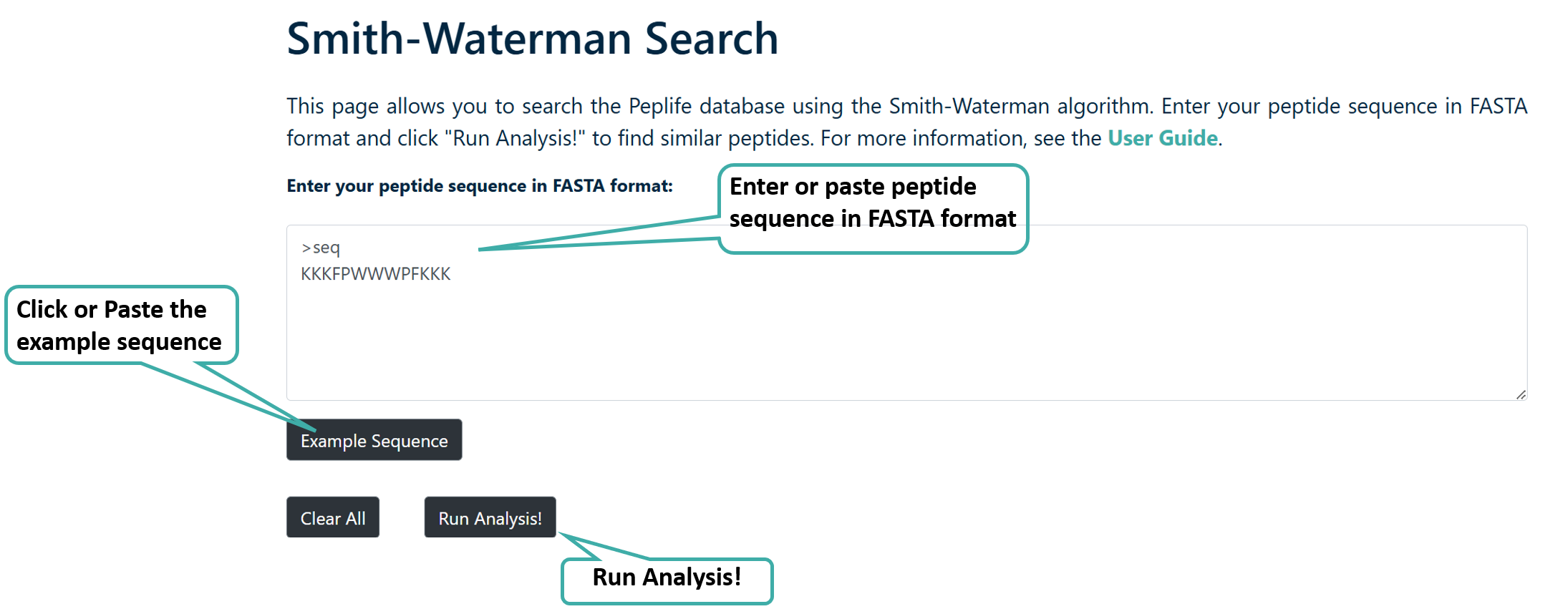
Smith-Waterman Search
Users can run a Smith-Waterman search query against the PEPlife 2.0 database. After submission of job it returns the list of peptides.
Mapping
User can select either SuperSearch to search for query peptide sequence against peptides of PEPlife2 or select SubSearch to search for query peptide sequence against the peptides of PEPlife 2.0.

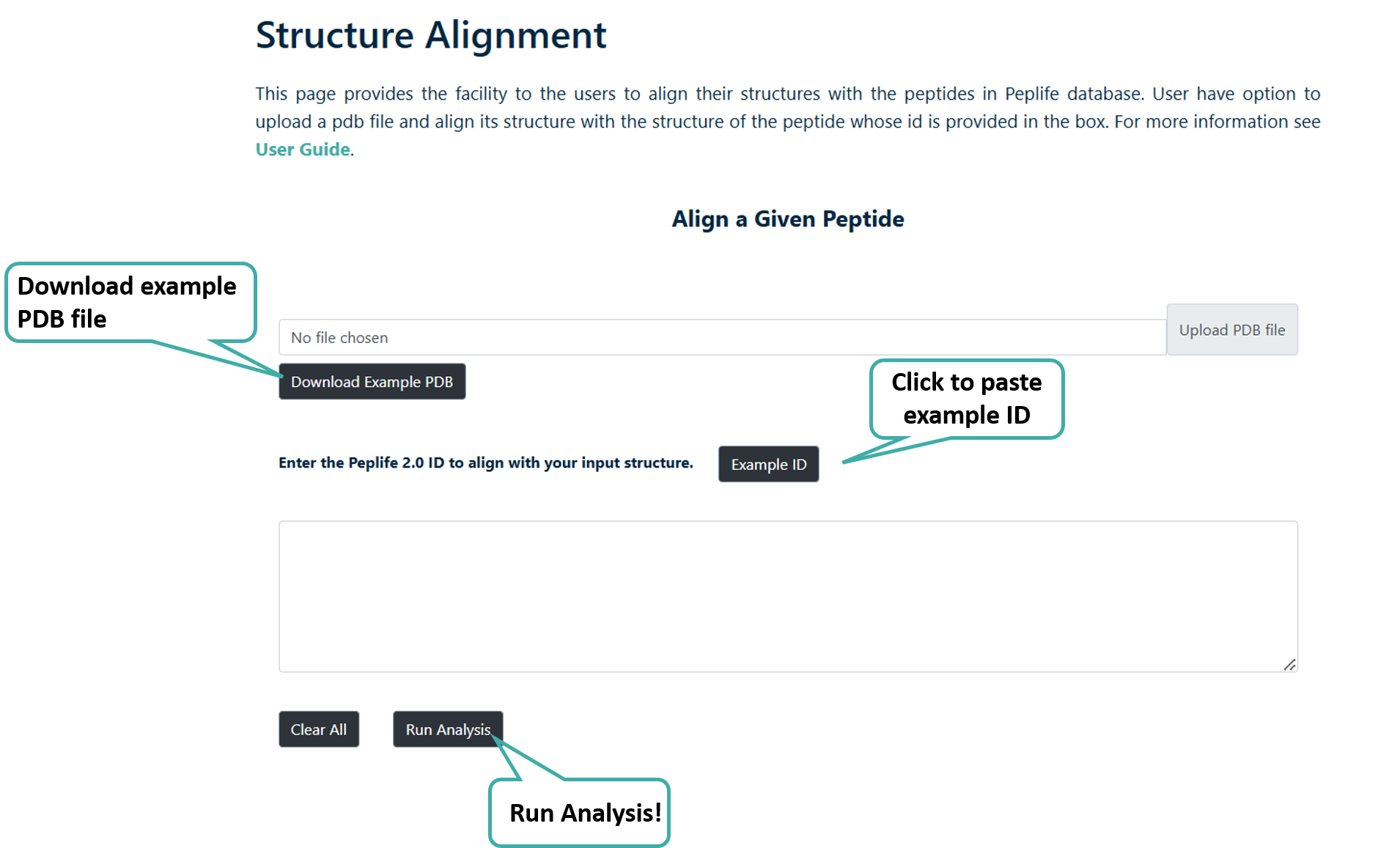
Structure Alignment
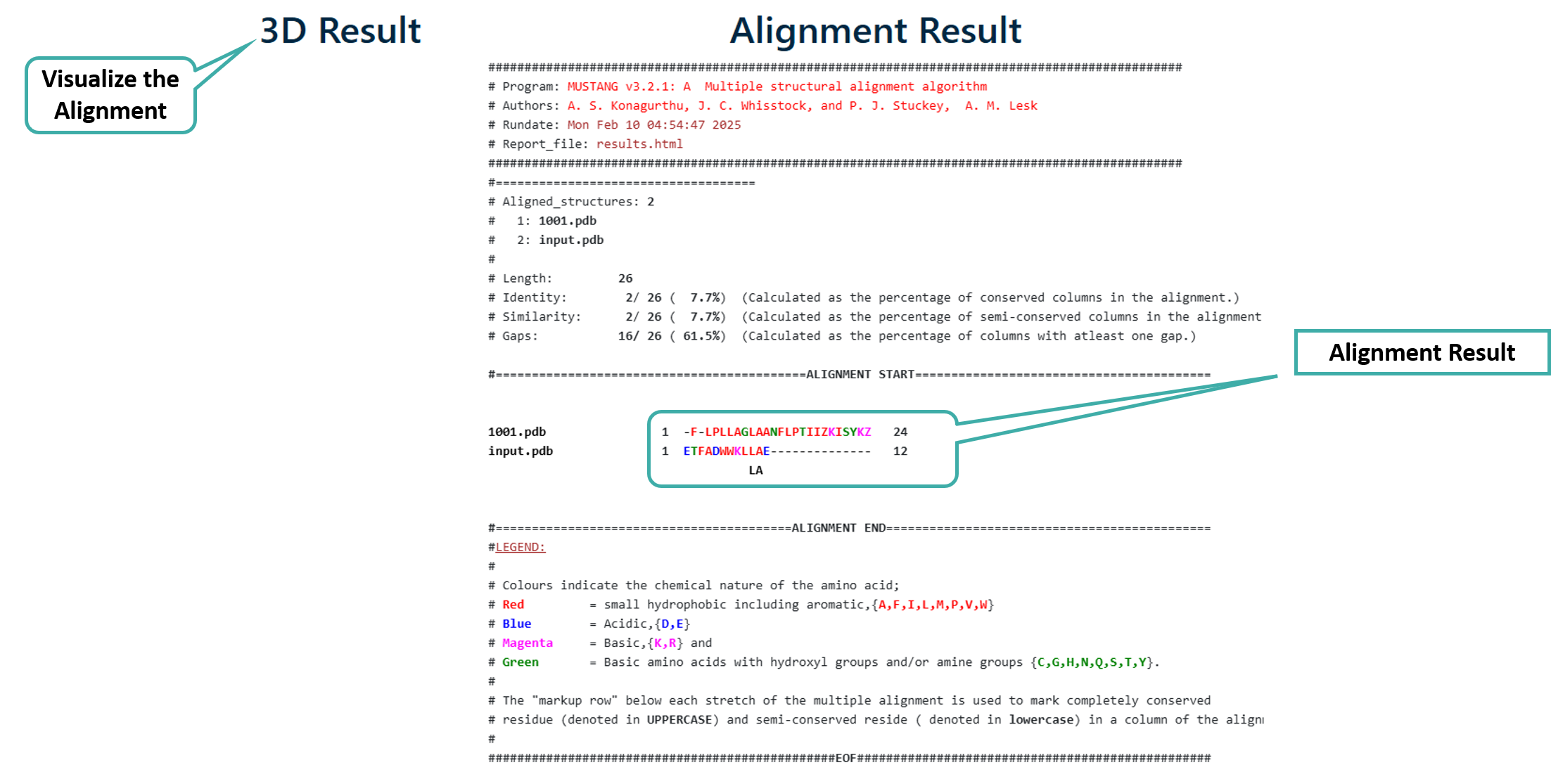
User can align their PDB structure with any of the PEPlife 2.0 Structures
Alignment Result
API
This section describes how this website's data can be accessed with programs. A variety of data
available on PEPlife 2.0 is accessible using simple URLs (REST) that can be used in
programs.
The PEPlife 2.0 REST API returns the response in JSON (JavaScript Object
Notation) format. Users can parse the JSON format to suit their requirements.
HTTP Status Headers
Upon sending a request to the server the following HTTP response headers are returned by the PEPlife 2.0 REST API:
| Code | Description |
|---|---|
| 200 | The request was processed successfully. |
| 400 | Bad Request. Invalid data type. |
| 404 | Not Found. The requested data doesn't exist. |
| 500 | Internal server error. Most likely a temporary problem, but if the problem persists please contact us. |
Query Fields
The PEPlife 2.0 REST API offers access to the data through three distinct query fields: organism / media, linear / cyclic, and peptide sequence. The PEPlife2 REST API provides users programmatic access to peptide and protein half-life data without requiring manual downloads. It allows users to filter data based on three main query fields: Organism/media, Protease present, Linear/Cyclic, Peptide/Protein Sequence with various option. After selecting any query field, the API generates a wget, CURL and Request URL command for direct data accession. Then result are returned by the server in JSON format which can be downloaded from the Server Response box.
| Query Field (..dataType) | Parameter (..dataValue) | Description |
|---|---|---|
| Organism / Media (org) | Mouse, dogs, rats, Pigs, Cell line/tissue, DPP-IV, RhNEP, Monkeys, mice, Cats, Buffer, MBP, PBS etc. | User can access data corresponding to particular organism / media, this will return all the entries for the selected organism / media. |
| Linear or Cyclic (lin_cyc) | Linear or Cyclic | User can access data corresponding to its structure linear or cyclic. |
| Peptide Sequence (seq) | Natural, Modified | Users can access data based on their selected parameter. Selecting "Natural" will retrieve entries featuring sequences composed solely of natural amino acid residues, and devoid of any chemical modifications. Conversely, selecting "Modified" will retrieve entries characterized by sequences containing non-natural residues or having any chemical modifications. |
Return Fields
Once the request has been processed successfully, the PEPlife 2.0 REST API returns the data in JSON format. The response data consists of 16 fields:
| Return Field | Description |
|---|---|
| PEPlife 2.0 ID | Unique identifier in the PEPlife 2.0 database for that entry. |
| PMID | Article PMID corresponding to that entry. |
| Year | Year of publication of that entry. |
| Sequence | Sequence of the peptide. |
| Name | Name of the peptide. |
| Length | Length of the peptide. |
| Linear/Cyclic | Conformation of the peptide. |
| Chirality | Sterechemistry of the peptide. |
| Chemical Modifications | Whether the peptide contains any non-natural residues or any other chemical modifications. |
| C-Ter Modifications | Whether the C-terminal end of the peptide contains an entity or it is free. |
| N-Ter Modifications | Whether the N-terminal end of the peptide contains an entity or it is free. |
| Origin | Origin of Corresponding peptide |
| Nature | Nature of the Peptide |
| Incubation Time | Incubation time of Peptide |
| Concentration | Concentration of peptide used in the study |
| Half-life | Half life of corresponding peptide |
| Half life Unit | Unit in which half life was given |
| Protease present | Protease present in that particular organism. |
| Assay | Type of assay used to measure half life of the peptide. |
| Test sample | Organism which was used to measure half life. |
| In-Vivo or In-vitro | Half life measured in-vivo or in-vitro |
| Reference | Refernce of the paper |
| Patent Number | It give Patent Number if any |
| Dose Route | It gives the Route of administration of peptide |
CURL
cURL, short for "Client URL," is a command-line tool and library for transferring data with
URLs. It supports a wide range of protocols, including HTTP, HTTPS, FTP, FTPS, SCP, SFTP,
LDAP, TFTP, and many others. Example Command:
curl -X GET "curl -X GET "https://webs.iiitd.edu.in/raghava/peplife2/api/api.php?dataType=lin_cyc&dataValue=Linear"
                            "
-X flag is used to specify the HTTP request method. HTTP requests typically use methods such as GET,
POST, PUT, DELETE, etc. PEPlife 2.0 REST API allows only GET request method.
wget
wget is a command-line utility for downloading files from the web. It supports downloading
files via HTTP, HTTPS, and FTP protocols in Linux environments. Example Command:
wget "https://webs.iiitd.edu.in/raghava/peplife2/api/api.php?dataType=lin_cyc&dataValue=Linear"
How to use ?
To access the data programmatically using PEPlife 2.0 REST API, user simply needs to select the query field and its corresponding query term and hit "Execute".

After clicking "Execute" the output will contain the cURL command, wget command, request URL and the server response.

Python Example
Below is a very simple example of how to use the PEPlife 2.0 REST API using Python. It sends a GET request to the API endpoint, retrieves the JSON response containing data, and parses it into a pandas DataFrame for further analysis. This example demonstrates the basic process of accessing data from the PEPlife 2.0 REST API and manipulating it within a Python environment.
import requests
import pandas as pd

# Define the URL for the API request
url = 'https://webs.iiitd.edu.in/raghava/peplife2/api/api.php?dataType=organism&dataValue=Mouse'

# Send a GET request to the API
response = requests.get(url)

# Check if the request was successful (status code 200)
if response.status_code == 200:
    # Print the JSON response from the API
    print(response.json())

    # Parse the JSON data and store it in a pandas DataFrame
    json_data = response.json()
    df = pd.DataFrame(json_data['data'])

    # Visualize the DataFrame
    print(df.head())  # Display the first few rows of the DataFrame

else:
    # Print an error message if the request was not successful
    print('Error:', response.status_code)