SalivaDB - A Database for Salivary Biomarkers

  • Home
  • Search
    • Basic
    • Advanced
  • Browse
    • Biomarker Type
    • Biomarker Category
    • Exosomal Origin
    • Disease Type
  • Similarity
    • BLAST Search
    • Smith Waterman
  • Downloads
  • Information
    • Statistics
    • Acknowledgment
    • Help
  • Developers
    • Team
    • Contact us

Help

This page provides help to the users of SalivaDB database on how to efficiently use this repository of salivary biomarkers. For each module which is implemented in SalivaDB, here we provide the description on how to use that module. The information about the general modules are provided here.
Search Module


Basic Search
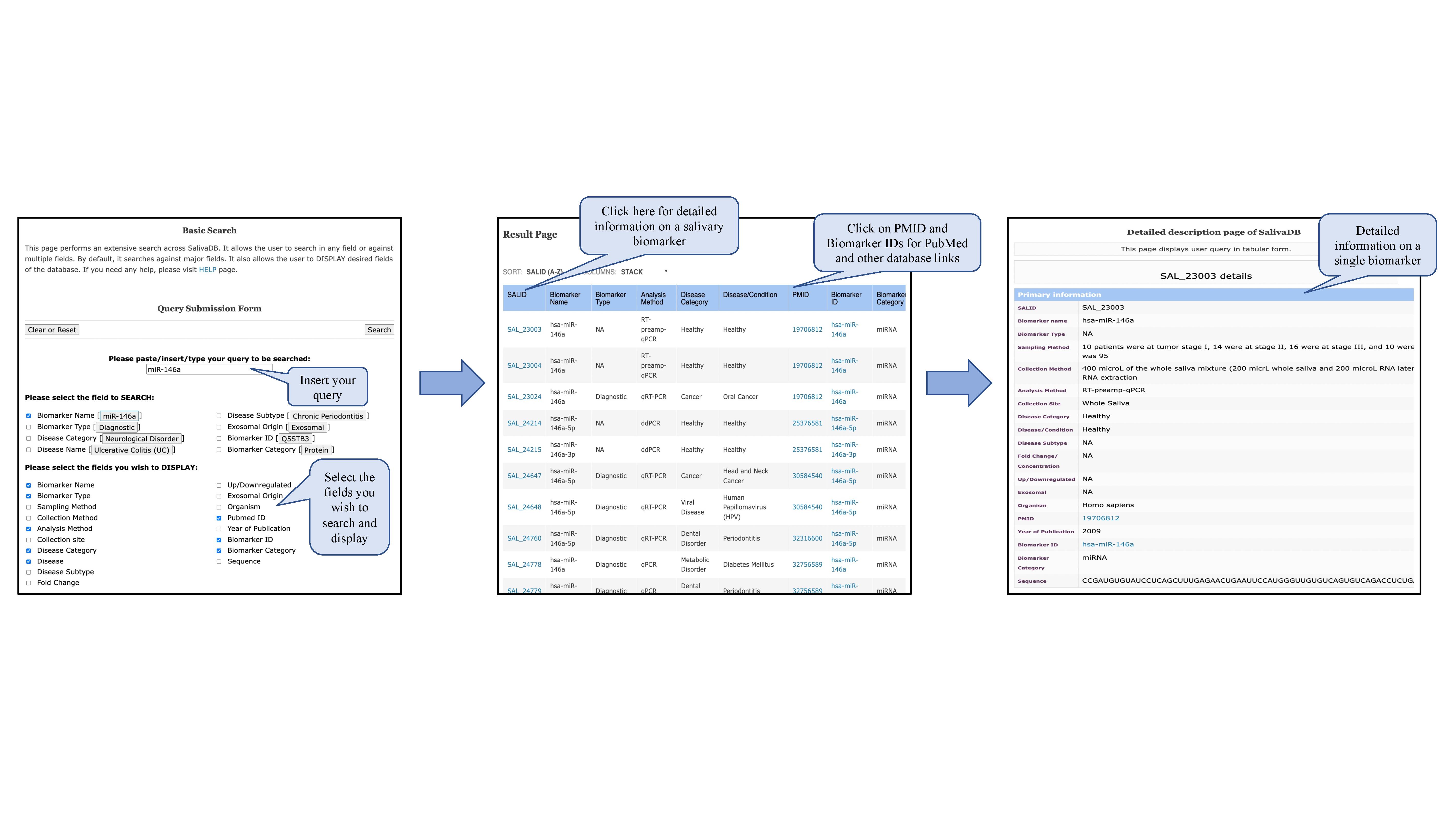
This module displays the basic search page of SalivaDB. Clicking on the required field will allow the user to browse the specific information in the database. The "Select Fields to be SEARCHED" section provides options for various keywords through which search can be made in SalivaDB. The users can select fields to be displayed from the section "Fields to DISPLAY".The users can click on each SAL_ID to get all the details regarding the entry and can also click on Biomarker IDs to know information about that salivary biomarker.

Pic-1


Advanced Search
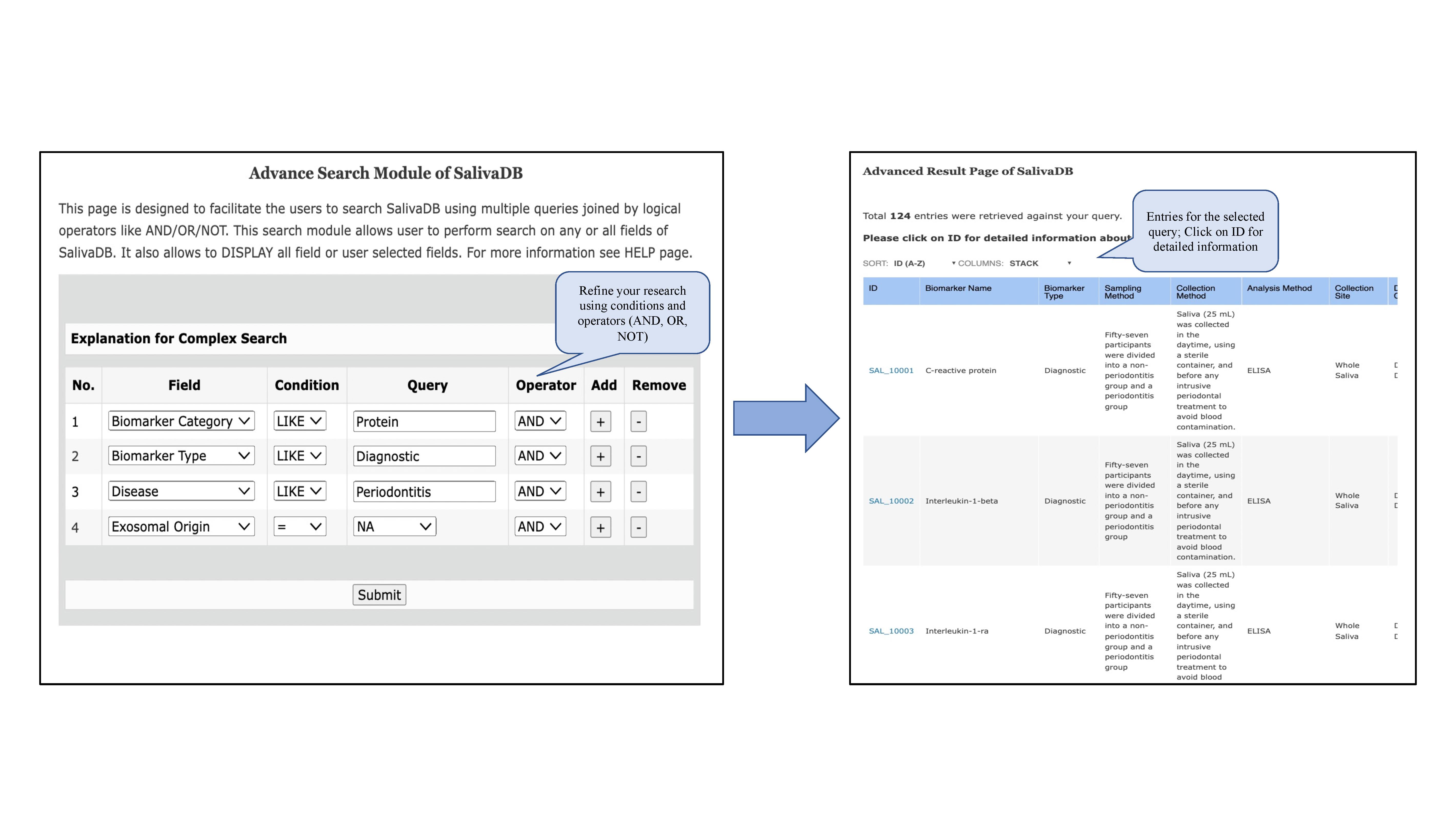
This page provides the advanced search facility in SalivaDB. The users can browse the page by selecting multiple fields using AND/OR/NOT operators. This search module allows user to perform search on any or all fields of SalivaDB. It also allows to DISPLAY all field or user selected fields.

Pic-1

Browse page


Browse by Disease Type
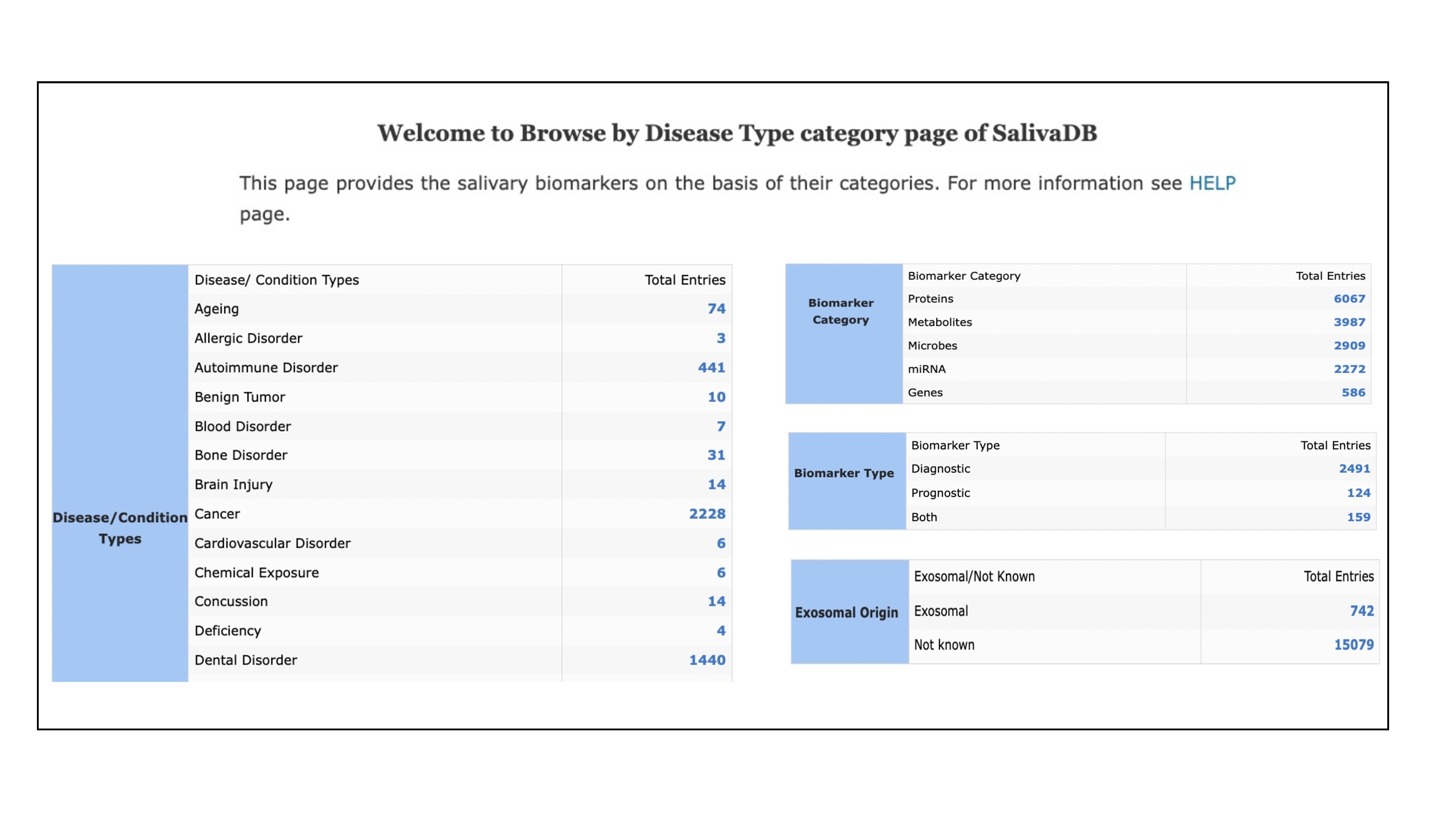
The users can browse the biomarkers in this database for different disease classes like Neurological Disorders, Immune System Disorders, Cancer, Cardiovascular Disorders etc. By clicking on different types of disorders/ conditions, user will retrieve a set of entries for each type. Each record contains SAL_ID which is linked to the detailed information for each biomarker. The entries are also linked to various databases like Uniprot, PubChem, miRBase, NCBI's Gene, and Taxonomy databases depending upon the biomarker type. All the publication references are also hyperlinked to PubMed.


Browse by Biomarker Category
For convenience of the users, all the biomarkers in the database are classified into following types depending upon their biomarker category:
  • Protein
  • Metabolite
  • Microbe
  • miRNA
  • Gene
The users can browse the biomarkers in this database for different biomarker categories mentioned above. By clicking on different types of disorders/ conditions, user will retrieve a set of entries for each type. Each record contains SAL_ID which is linked to the detailed information for each biomarker. The entries are also linked to various databases like Uniprot, PubChem, miRBase, NCBI's Gene, and Taxonomy databases depending upon the biomarker type. All the publication references are also hyperlinked to PubMed.


Browse by Exosomal Origin
The user can browse this module for the details on whether a biomarker has been derived from the exosome for the study. This module is divided into two classes -
  • Exosomal
  • Not given


Browse by Biomarker Category
The user can browse this module for the details on whether a biomarker is -
  • Diagnostic
  • Prognostic
  • Both


Pic-1

Tools


BLAST Search
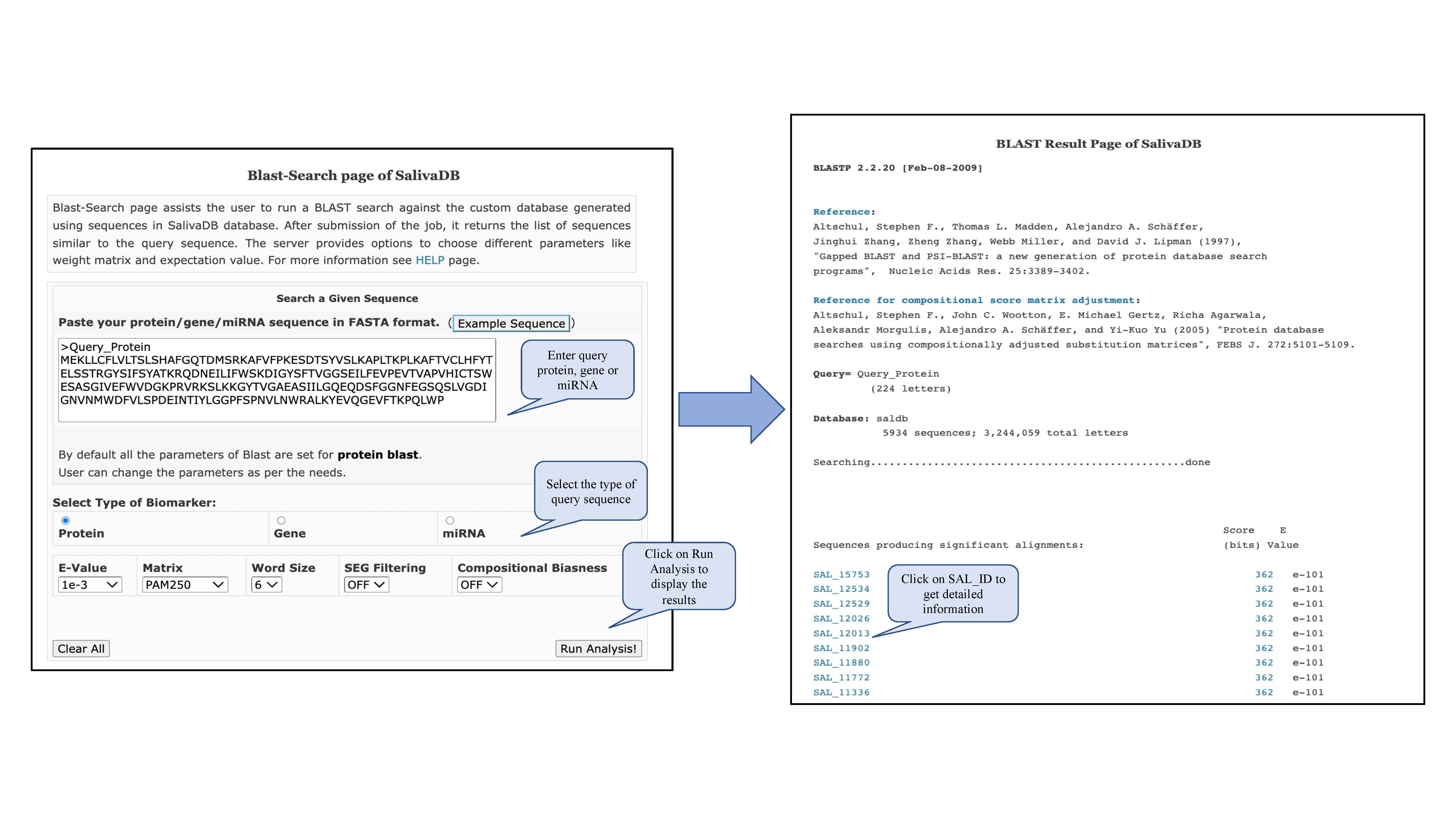
This option allows users to search protein, gene, or miRNA sequences similar to their query against a database of salivary biomarker sequences maintained in SalivaDB.

Pic-1

Smith Waterman Mapping
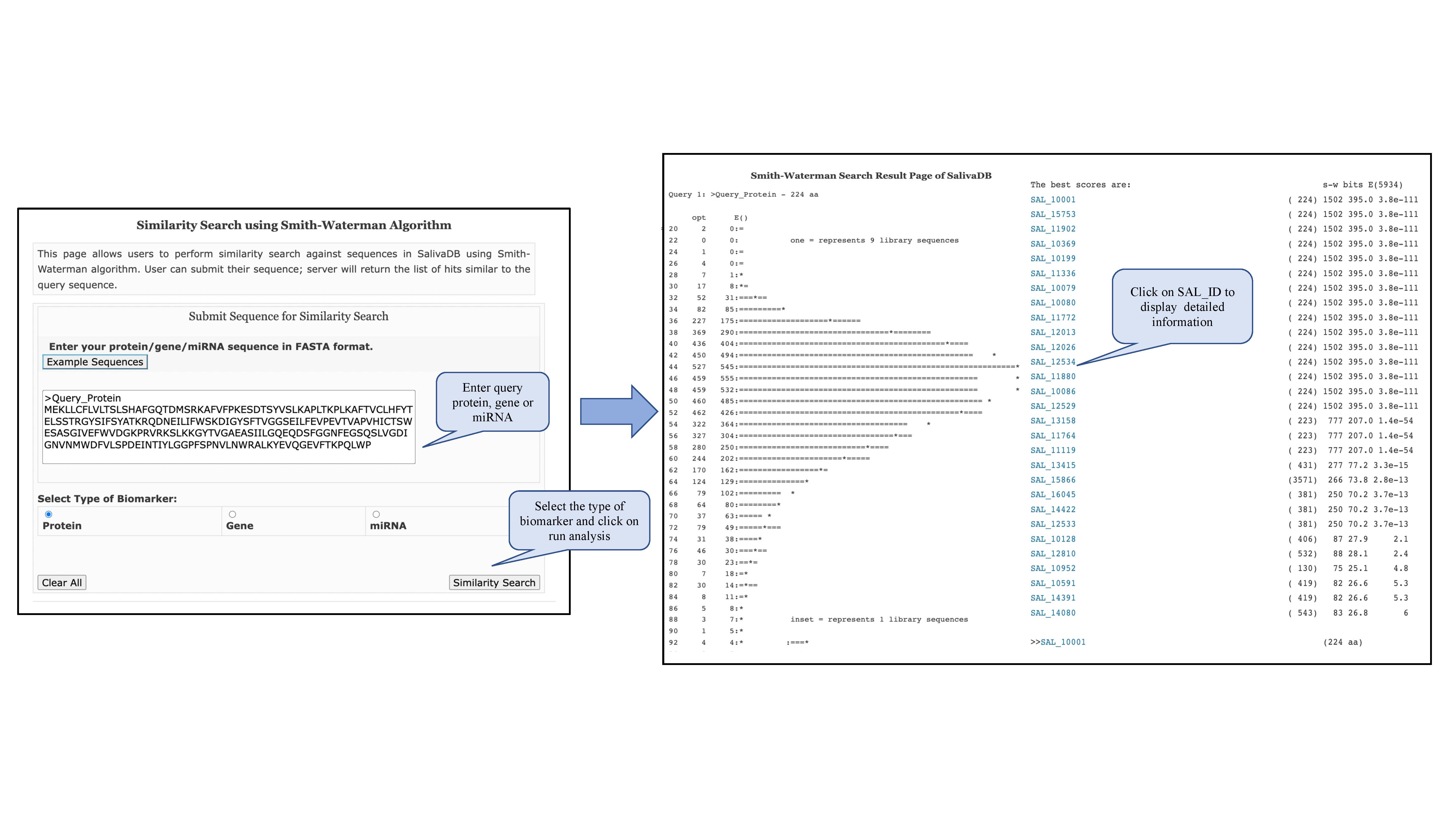
This page perform local alignmnent and provides similar regions between two strings of protein, gene, or miRNA sequences.

Pic-1

Downloads


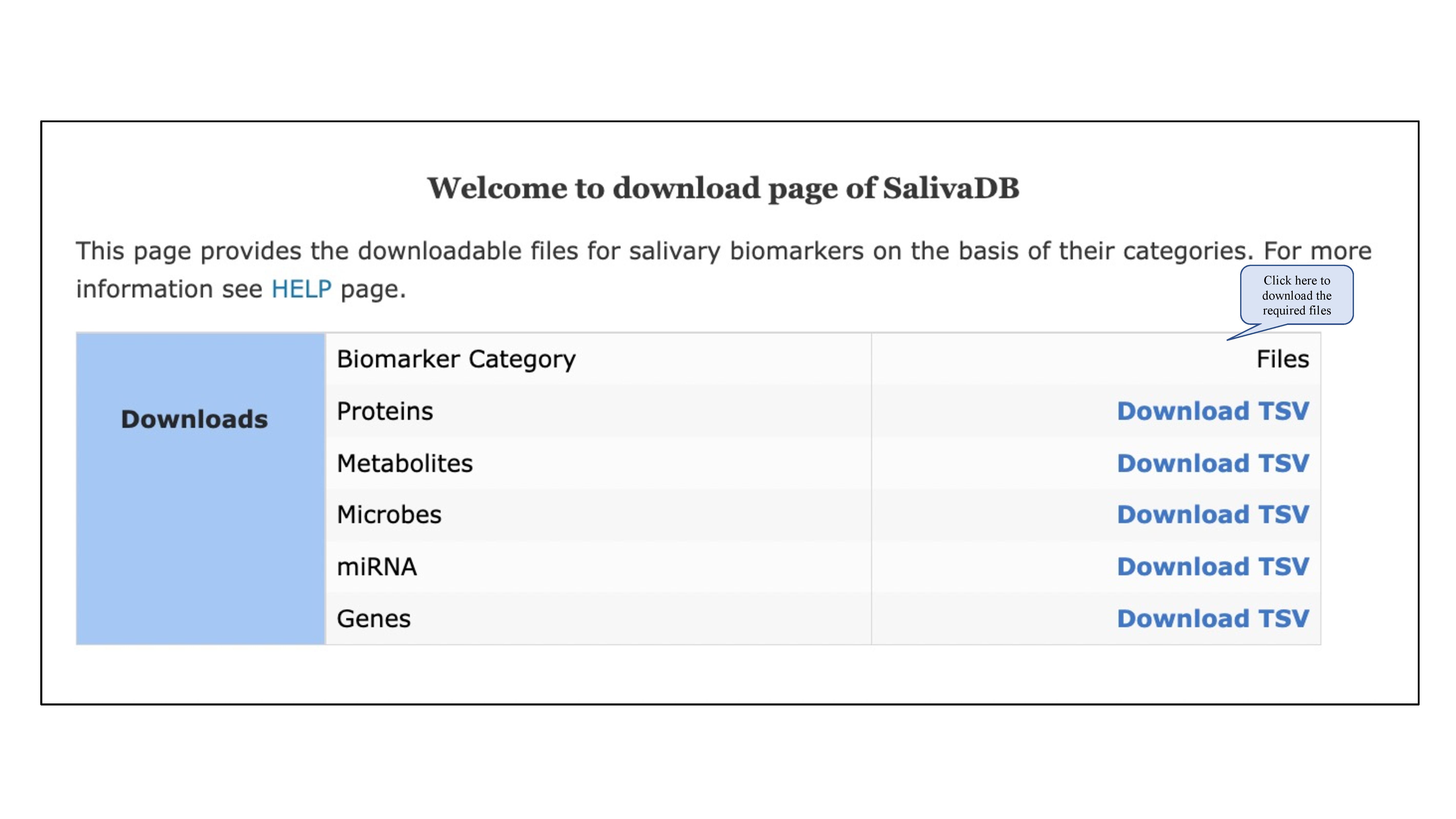
In this module, user can download the files in TSV format for different types of salivary biomarkers - proteins, metabolites, microbes, miRNAs, and genes.

Top
Pic-1

IIITD

Raghava's Group